Hotmail Sign Up - Create Your Outlook Account
What Is Hotmail Sign Up
Hotmail sign up is the process of creating a free email account through Microsoft's webmail platform. Originally launched in 1996 as one of the first web-based email services, Hotmail was acquired by Microsoft and later rebranded to Outlook.com in 2013. Despite the name change, millions of users worldwide still refer to the service as Hotmail, and Microsoft continues to support the @hotmail.com domain for new registrations.
When you complete Hotmail sign up, you gain access to a full-featured email service backed by Microsoft's cloud infrastructure. Your account includes a modern webmail interface accessible from any browser, generous storage space, built-in calendar and contacts management, and seamless integration with other Microsoft services such as OneDrive, Skype, and Microsoft 365.
One of the key advantages of a Hotmail or Outlook account is its broad compatibility with third-party email clients. The service supports both IMAP and POP3 protocols, allowing you to connect your mailbox to desktop applications like Thunderbird, Apple Mail, or any standards-compliant email client. SMTP support is also included for sending messages through external applications. These protocols ensure that you are not locked into a single interface and can manage your email in whatever way suits your workflow best.
Good to know: A Hotmail account also serves as your Microsoft account, granting access to services like OneDrive, Skype, Xbox Live, and the Microsoft 365 web apps at no additional cost.
How to Create an Account on Hotmail
Creating a Hotmail account is straightforward whether you prefer using a desktop browser or a mobile device. The process takes roughly two to three minutes and requires no payment information. Below are detailed instructions for both methods.
Hotmail Sign Up from Web
Follow these seven steps to create your free Hotmail account using any modern web browser on a computer or tablet.
- Navigate to Outlook.com — Open your preferred browser and go to outlook.com. This is the official Microsoft email portal that handles both Outlook and Hotmail accounts.
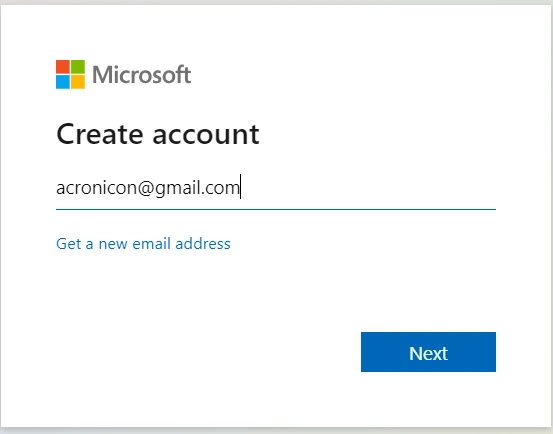
- Click "Create free account" — On the landing page, locate and click the button labeled "Create free account." This redirects you to the Microsoft account registration form.
- Choose your email address — Type your desired username in the email field. Click the domain dropdown to the right and select @hotmail.com if you want a Hotmail address, or choose @outlook.com if you prefer the newer domain. If your chosen username is already taken, Microsoft will suggest available alternatives.
- Create a strong password — Enter a password that is at least eight characters long. For best security, combine uppercase letters, lowercase letters, numbers, and special characters. Avoid using personal information such as your name or birth date.
- Enter your personal information — Provide your first name, last name, country or region, and date of birth. This information is used for account recovery and personalization.
- Add a phone number or alternate email — Microsoft requires a recovery option in case you lose access to your account. Enter either a phone number that can receive SMS messages or an existing email address from another provider.
- Complete verification — Solve the CAPTCHA puzzle to prove you are not a bot. Microsoft may also send a verification code to the phone number or alternate email you provided. Enter the code to finish creating your account.
After completing these steps, you are automatically signed in and taken to your new Hotmail inbox, ready to send and receive messages.
Hotmail Sign-Up for iOS and Android
You can also create a Hotmail account directly from your smartphone or tablet using the Microsoft Outlook app.
- Download the Outlook app — Open the App Store on iOS or the Google Play Store on Android and search for "Microsoft Outlook." Download and install the official app published by Microsoft Corporation.
- Launch the app and tap "Create one" or "Sign up" — When you open the app for the first time, you will see a prompt to add an email account. Tap the option to create a new account rather than signing in with an existing one.
- Follow the on-screen registration steps — Enter your preferred email address and select the @hotmail.com domain. The mobile signup form mirrors the web version.
- Set your password — Choose a secure password following the same guidelines as the web signup process.
- Provide personal details — Enter your name, region, and date of birth as requested.
- Verify your account — Complete the CAPTCHA and enter the verification code sent to your phone number or alternate email.
Once verified, the Outlook app will automatically configure your mailbox settings and take you straight to your inbox with push notifications enabled by default.
How to Log in to Hotmail
After creating your Hotmail account, you can access your email from virtually any device. Here are instructions for each platform and for third-party email clients using IMAP, POP3, and SMTP settings.
Hotmail Login Using Web Browsers
- Go to Outlook.com — Open any web browser and navigate to outlook.com.
- Enter your email address — Type your full Hotmail address (for example, yourname@hotmail.com) in the sign-in field.
- Click "Next" — The page will advance to the password entry screen.
- Enter your password — Type the password you set during registration.
- Click "Sign in" — You will be taken directly to your inbox. Optionally, check the "Keep me signed in" box if you are using a private, trusted device.
Hotmail Login on Android
- Download Microsoft Outlook — If you have not already, install the Outlook app from the Google Play Store.
- Tap "Get Started" — Open the app and tap the get started button on the welcome screen.
- Enter your Hotmail email address — Type your full @hotmail.com address in the field provided.
- Tap "Continue" — The app will detect that you have a Microsoft account and display the password field.
- Enter your password — Type your account password.
- Tap "Sign in" — The app will sync your mailbox and present your inbox with all your messages.
Hotmail Login on iPhone
- Download Microsoft Outlook — Install the Outlook app from the App Store if it is not already on your device.
- Tap "Get Started" — Launch the app and tap the get started button.
- Enter your Hotmail email address — Provide your full @hotmail.com address.
- Tap "Continue" — The app recognizes your Microsoft account.
- Enter your password — Type your account password.
- Tap "Sign in" — Your inbox loads and push notifications are configured automatically.
Hotmail Login from Email Client
If you prefer using a desktop email client such as Thunderbird, Apple Mail, or Windows Mail, configure the following server settings manually. These settings use encrypted connections to keep your email secure.
| Protocol | Server Address | Port | Encryption |
|---|---|---|---|
| IMAP (Incoming) | outlook.office365.com | 993 | SSL/TLS |
| POP3 (Incoming) | outlook.office365.com | 995 | SSL/TLS |
| SMTP (Outgoing) | smtp-mail.outlook.com | 587 | STARTTLS |
Use your full Hotmail email address as the username and your account password for authentication. IMAP is recommended over POP3 because it keeps your messages synchronized across all devices, whereas POP3 downloads messages to a single client and may remove them from the server depending on your settings.
Troubleshooting Hotmail Login Issues
If you are unable to sign in to your Hotmail account, the cause is usually one of the following common problems. Work through each section below to identify and resolve the issue.
Incorrect Hotmail Password
An incorrect password is the most frequent reason for login failures. If you have forgotten your password or suspect it may be wrong, follow these steps to reset it:
- On the Outlook.com sign-in page, click the "Forgot my password" link located below the password field.
- Select a verification method — Microsoft will offer to send a security code to your registered phone number or alternate email address.
- Enter the verification code you receive and follow the prompts to create a new password.
- Use your new password to sign in. Consider storing it in a trusted password manager to avoid future issues.
Hotmail Account Suspended or Locked
Microsoft may temporarily lock your account if it detects unusual activity, such as sign-in attempts from unfamiliar locations or a high volume of outgoing messages. When this happens, you will see a message indicating that your account has been locked or suspended.
To regain access, you must confirm your identity by completing the verification process. Microsoft will send a code to your recovery phone number or email. In some cases you may be asked to answer security questions or fill out an account recovery form with details that only the account owner would know. Once your identity is confirmed, the lock is lifted and you can sign in normally.
Internet Connection Problems
Hotmail requires a stable internet connection to load the sign-in page and authenticate your credentials. If the page fails to load or times out, try the following:
- Check whether other websites load normally. If they do not, restart your router or switch to a different network.
- If you are on a public or corporate network, a firewall or proxy may be blocking access to Microsoft services. Try switching to mobile data or a VPN to test.
- Disable any browser extensions that might interfere with page loading, such as aggressive ad blockers or privacy tools.
Issues with the Browser
An outdated or misconfigured browser can cause login pages to malfunction. Apply these fixes:
- Update your browser — Make sure you are running the latest version of Chrome, Firefox, Edge, Safari, or whichever browser you use. Outlook.com relies on modern web standards that older browser versions may not support.
- Clear your cache and cookies — Corrupted or expired cookies can prevent the sign-in process from completing. Go to your browser settings, clear cached files and cookies for outlook.com, then try signing in again.
- Try a different browser or incognito mode — If clearing the cache does not help, open an incognito or private window to rule out extension conflicts, or try a completely different browser.
Frequently Asked Questions
Is Hotmail sign up free?
Yes, Hotmail sign up is completely free. You can create a free email account through outlook.com without any charges or subscription fees. Microsoft provides generous storage and full access to features like calendar, contacts, and OneDrive integration at no cost.
Can I still create a Hotmail email address?
Yes, you can still create a Hotmail email address. During the signup process on outlook.com, you can select @hotmail.com from the domain dropdown menu when choosing your email address. Both @hotmail.com and @outlook.com domains are available for new accounts.
What is the difference between Hotmail and Outlook?
Hotmail and Outlook are the same email service. Outlook is the rebranded version of Hotmail. Microsoft renamed Hotmail to Outlook.com in 2013 to unify its email offerings under the Outlook brand. Existing @hotmail.com addresses continue to work exactly as before, and new @hotmail.com addresses can still be created during signup.